Daycare parent app for nursery updates, photos and pickup
UpriseEdu is the app parents use to follow their child's day at nursery: when they arrived, what they did, what they ate, the photos from the day and who is collecting them. It runs on iOS and Android, in English and Arabic.
Your child's day, as it happens
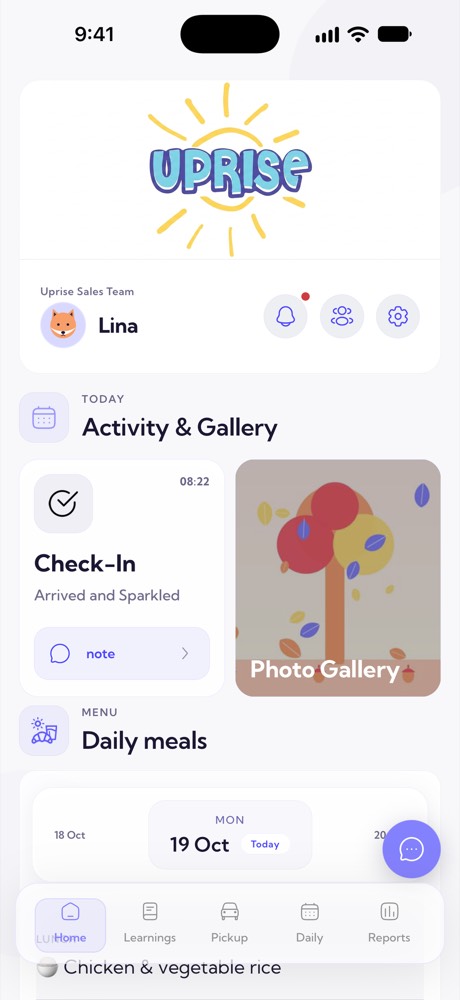
A good nursery parent communication app answers the questions parents would otherwise ask at the door. UpriseEdu shows them through the day:
- A check-in confirmation with the time their child arrived.
- The daily report: activities, naps and the teachers' notes.
- The day's meal menu.
- Attendance history, for looking back over past weeks.
Instant notifications let parents know when something new arrives, so they don't need to keep opening the app to check.
Photos, learning and progress
The nursery shares photo and video albums, and every album is organised by activity and date, so a parent can find painting day or the garden trip without scrolling through hundreds of pictures.
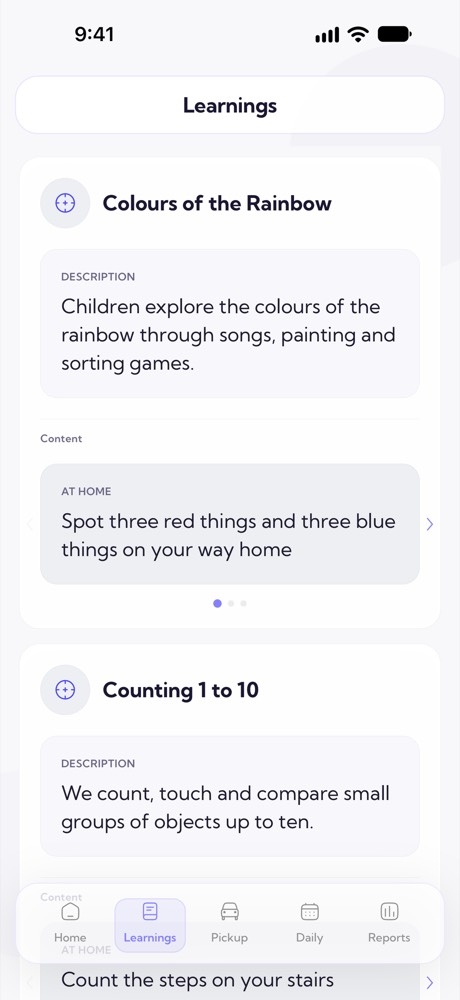
Parents also see the classroom learning activities, each with ideas to continue at home: a counting game on the stairs, colours to spot on the way back from nursery. Progress reports and skills checks show how their child is developing over the term.
Safe pickup and health updates
When someone else is collecting, the parent schedules the pickup in the app and chooses the authorised person. Every pickup request gets its own verification code, and the parent can follow the request until their child has been handed over.
Health and safety information reaches parents the same way. Medical assessments are available in the app, and so are accident reports when something happens during the day.
Chat, family bills and finding a nursery
Parents can chat with the nursery team in the app rather than through personal phone numbers. Family bills are there too: parents see the bills for their own children, and can send a bank-transfer receipt from the app for the nursery to review.
Families who are still choosing can browse nurseries and their branches and book an orientation visit before they enrol. Once enrolled, parents sign in with the account their nursery creates for them; the features they see depend on what their nursery has switched on.
Give your parents UpriseEdu
Parents download UpriseEdu from the App Store or Google Play once your nursery is on UPRISE. Talk to us to set up your nursery, or download the apps to have a look.