Daycare pickup authorisation app with a code for every pickup
Handing a child to the right person is the most important moment of the nursery day. UPRISE puts it in writing: the parent says who is coming and when, the request has its own verification code, and staff follow it until the handover.
Parents schedule the pickup and choose who comes
When a grandparent, relative or friend is collecting, the parent opens the UpriseEdu app, schedules the pickup and chooses the authorised person. There is no phone call to the office that someone forgets to pass on, and no note that goes missing between the morning and home time.
Each request shows the time, the person collecting and a request number, so the parent can check what they sent at any point.
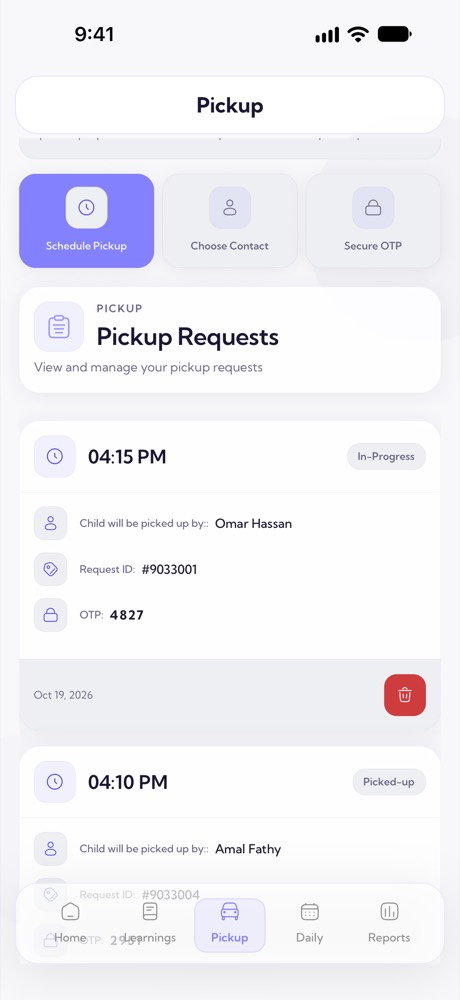
A verification code for every pickup request
Every pickup request gets its own verification code. The code belongs to that one pickup, so it confirms that the person at the door is the one the parent chose for that day, rather than relying on staff recognising a face they may never have seen.
The parent can follow the request in the app from the moment it is sent until their child has been handed over.
Staff follow every request until handover
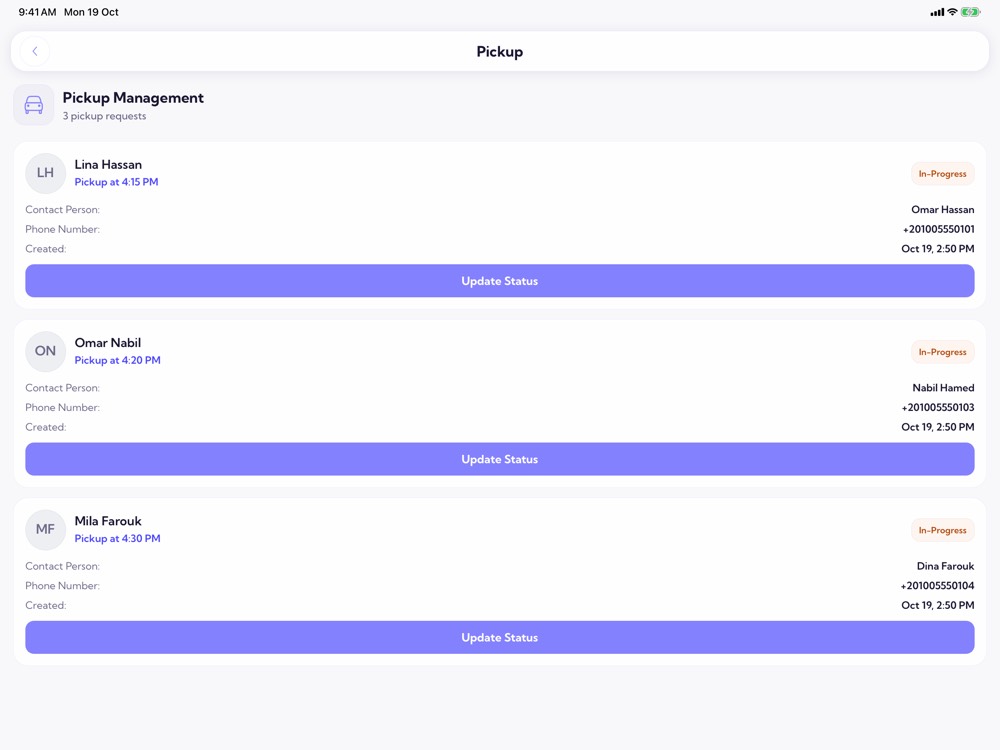
Pickup requests appear in the UpriseEdu Staff app on phone and tablet, with the child's name, the pickup time and the contact person. Staff update each request as it moves along, from in progress to picked up, and the parent sees the same status at home.
On a tablet, recent pickup requests also appear on the home screen next to the day's activities, so the teacher in the room can see who is coming without opening another screen.
Late pickups and the record afterwards
Children are checked out in the Staff app, so the time each child left is on their attendance record. Each branch can set a late-checkout grace period and a charge for collections after it, and late checkout can be added to the child's bill as an add-on.
When a question comes up later about who collected a child and when, the request, the person and the checkout time are already written down. Owners also see late checkouts in the owner analytics, so a branch where collections often run late shows up in the charts.
Make every pickup a checked one
Our team sets up your nursery and both apps. Talk to us to see safe pickup working with your own classes and staff.