Daycare teacher app for every member of nursery staff
UpriseEdu Staff is the app the nursery team uses all day: teachers, assistants, nannies and every other staff role. It runs on phones and on classroom tablets, on iOS and Android, and records the day as it happens so parents stay informed without extra paperwork.
Check-in, check-out and clocking in
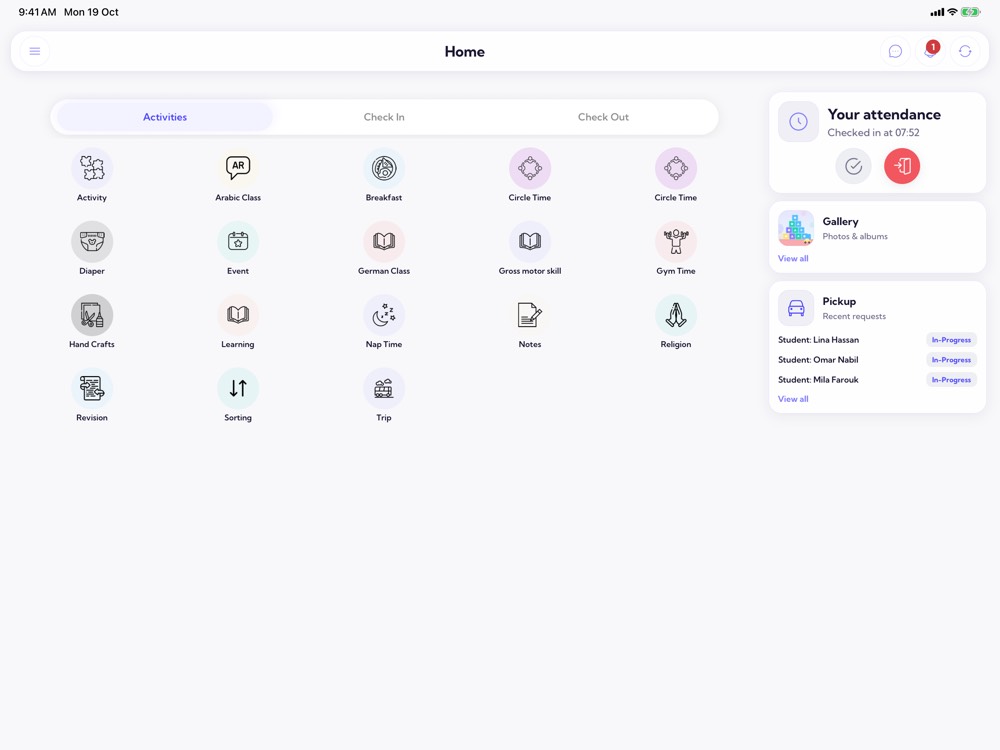
Children are checked in and out with one tap, so the register is kept as children arrive and leave. Staff clock themselves in and out by scanning the branch's QR code, and each person can see their own monthly attendance: days present, late arrivals and overtime.
On a tablet, the app uses a landscape layout made for the classroom, with the day's activities, the teacher's own attendance, the gallery and pickup requests on one screen.
Log the day in a few taps
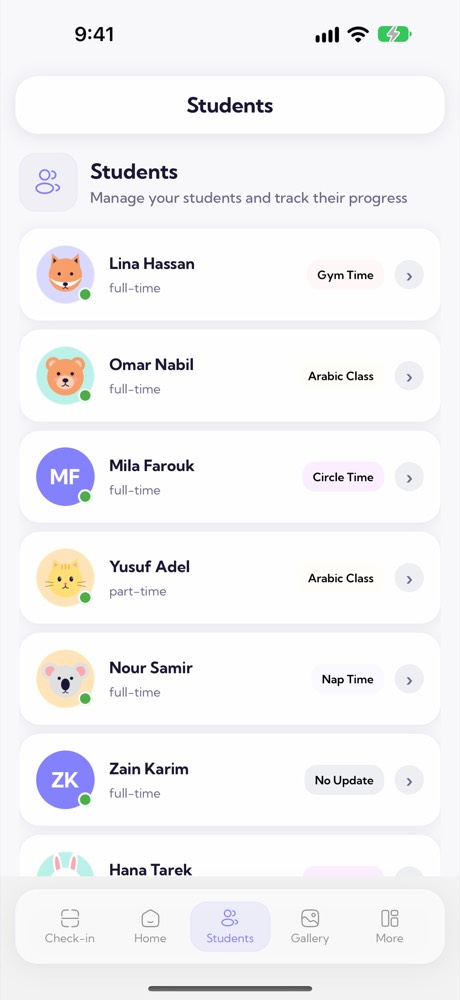
Teachers log activities, meals and naps as they happen and add a note where it helps: what a child painted, how long they slept, whether they finished lunch. The class's daily schedule is in the app, so everyone in the room knows what comes next.
The activities, naps and notes the team logs become the daily report parents read in the UpriseEdu app. There is no second step of writing up the day at home time.
Photos and videos, even without a connection
Staff take photos and videos inside the app and organise them into albums by activity. Classrooms and gardens don't always have good Wi-Fi, so when there is no connection, photos are saved on the device and upload automatically once it is back online. Nobody has to remember to send them later.
Each child's profile, reports and pickups
Every child has a profile with their parents' details, medical information and progress, so a cover teacher can get up to speed quickly. From the same app, staff:
- write progress reports and skills checks;
- record medical assessments and accident reports;
- follow pickup requests from parents and update them until the child is handed over.
Each staff job has its own role, from teacher and assistant to nanny, security, cook and doctor, and the nursery can switch features on or off per branch, so people see the parts of the app that fit their work.
Put UpriseEdu Staff in your classrooms
Staff accounts are created by your nursery once our team has set it up. Talk to us about your branches and roles.